

You have various themes included with Sitecore Experience Commerce (SXC) 9 Update 1:
- The Wireframe theme (SXA)
- The Storefront Mock-up themes (SXA Storefront) (with product or mock images)
- The Storefront Branded theme (SXA Storefront)
- Custom themes created with new commerce sites (SXA Storefront)
More information about themes for SXA Storefront can be found here.
Site with default SXA Storefront theme looks like this:
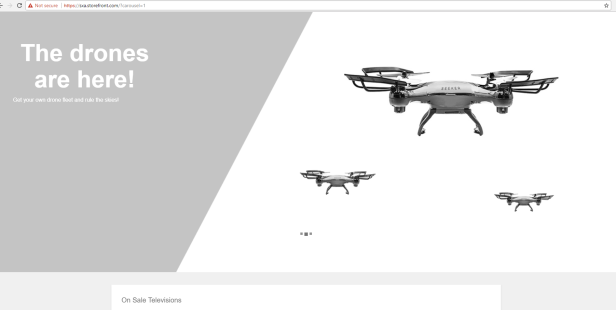
Personally I like Storefront Branded theme, that’s why I am changing it after installation as first thing.
Landing page then looks like this:
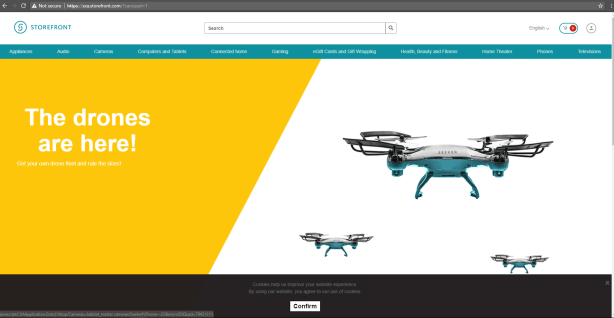
Pretty cool right? 🙂
To change theme for SXA Storefront or any other (custom) storefront you can use Content Editor or Experience Editor.
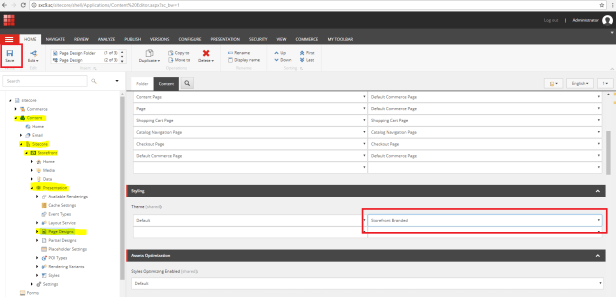
From Content Editor:
- Navigate to /sitecore/content/Sitecore/Storefront/Presentation/Page Designs
- Change Default Theme in Styling section to your choice
- Save item
- Publish
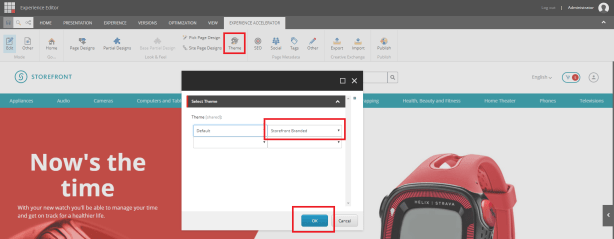
From Experience Editor:
- Open “Experience Editor” tab on any page
- Click on “Theme” button
- Select theme for Default theme
- Click OK
- Publish
Happy coding and Happy Ester wishes!
 straight to the core