
When you are implementing Sitecore JSS solution you need to create and keep separate dist folders for each frontend (FE) solution / site.
Problem
What if you have multiple sites that are using one single FE solution? This is usual scenario when content editing team has “master” site and couple of other sites using same Sitecore BE and FE solution / code like training site, automation site, dev site (synced only by devs and deployed only on lower environments like Integration Test or Test but not to UAT or Prod environments), support site (to verify fixes).
With this setup, they have freedom to change content of other sites without being afraid to accidentally publish something inappropriate on live / master site
Based on documentation, you should copy your app to corresponding subfolder of dist based on your app name:
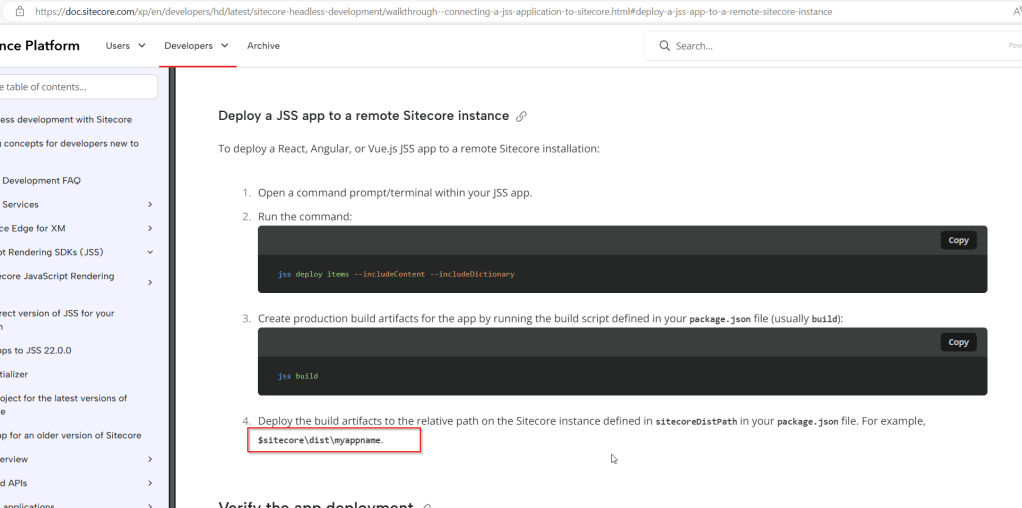
This is because of how apps are configured OOTB in Sitecore JSS setup:
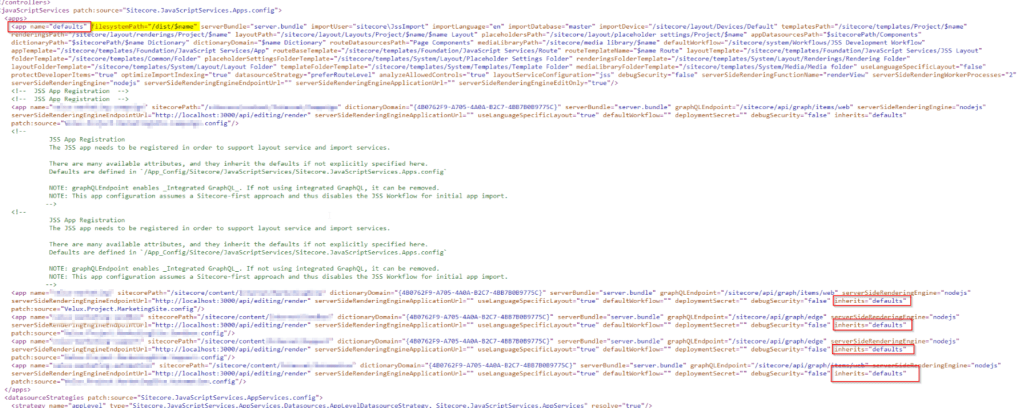
Apps are inheriting defaults app definition. The filesystemPath attribute is set to “dist/$name” which is causing the “trouble” in this kind of setup.
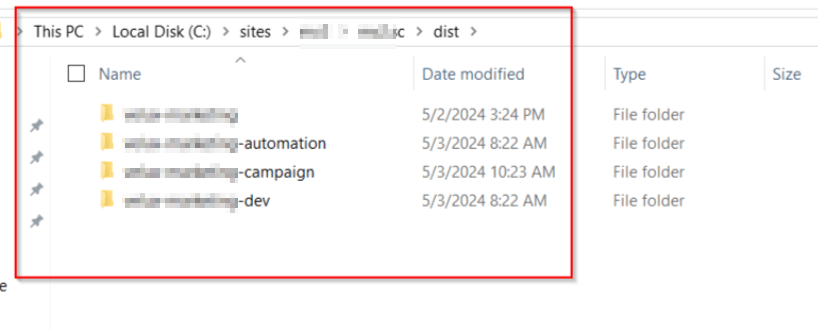
You would need to copy one single FE solution to subfolders under dist folder with the app definition folder name. Something like this:
If you forgot, you receive this error message:
Error Rendering Sitecore.JavaScriptServices.ViewEngine.Presentation.JsLayoutRenderer: Node render engine project directory path '{website-path}\app' does not exist. Ensure your JavaScript code has been deployed and that the configured path is correct.
   at Sitecore.JavaScriptServices.ViewEngine.Node.NodeRenderEngineFactory.CreateNodeServicesOptions(RenderEngineOptions engineOptions, NodeRenderEngineOptions nodeRenderEngineOptions)
   at Sitecore.JavaScriptServices.ViewEngine.Node.NodeRenderEngineFactory.CreateNodeServices(RenderEngineOptions engineOptions, NodeRenderEngineOptions nodeRenderEngineOptions)
   at Sitecore.JavaScriptServices.ViewEngine.Node.GenericConcurrentPool`1.Pop()
   at Sitecore.JavaScriptServices.ViewEngine.Node.GenericConcurrentPool`1.CheckOut()
   at Sitecore.JavaScriptServices.ViewEngine.Node.NodeRenderEngine.Invoke[T](String moduleName, String functionName, Object[] functionArgs)
   at Sitecore.JavaScriptServices.ViewEngine.Presentation.JssRenderer.PerformRender(TextWriter writer, IRenderEngine renderEngine, String moduleName, String functionName, Object[] functionArgs)
   at Sitecore.JavaScriptServices.ViewEngine.Presentation.JssRenderer.Render(TextWriter writer)
   at Sitecore.Mvc.Pipelines.Response.RenderRendering.ExecuteRenderer.Render(Renderer renderer, TextWriter writer, RenderRenderingArgs args)

Solution
Solution to this kind of setup is pretty simple without this copying overhead.
You just need to add this attribute filesystemPath=”dist/{default-app-name}” e.g. filesystemPath=”dist/mastersite” to every single app definition under javascriptServices app config node which will override default “dist/$name“:
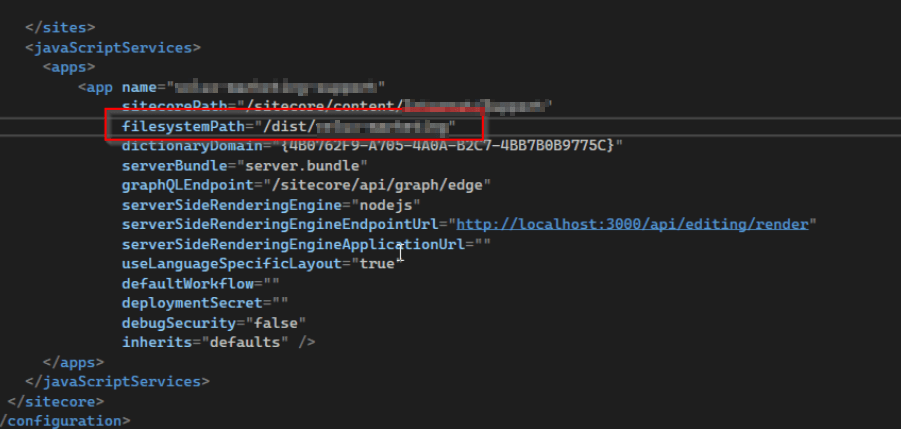
With this configuration, no more dummy copy tasks in your Azure DevOps pipelines that were just copying dist subfolders gazillion times like this just to support the OOTB configuration:
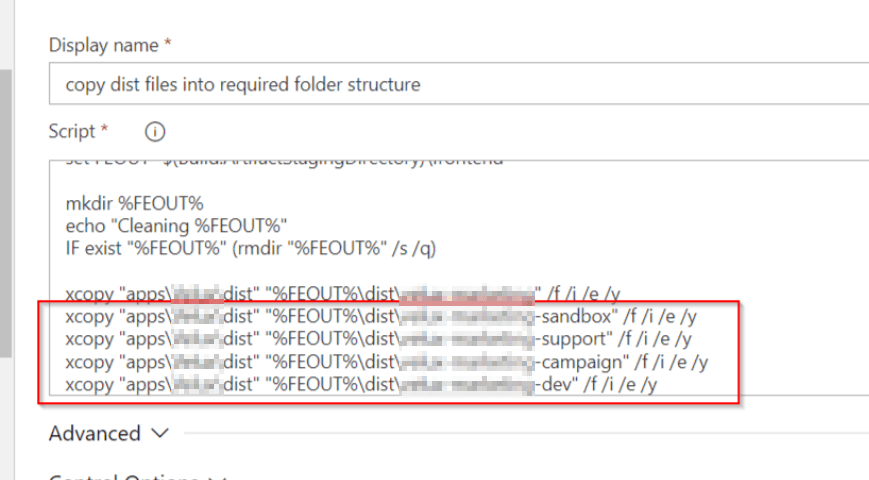
You will have just one single copy task, that will copy to for example mastersite subfolder of dist and that’s it!
So no more:

Just one single dist folder serving all JSS apps in this one FE solution multiple sites setup!

 straight to the core